
Install BulkoPin, open a Pinterest board, and watch the files land.
Every screen you meet, in the order you meet them. All you need is Chrome and a free BulkoPin account; your Pinterest password is never part of it.
- Browser
- Chrome
- Account
- Free, no card
- Free ceiling
- 50 pins per rolling 24 hours
One run, screen by screen.
Every still below is labelled. A capture is the product as it actually renders; a drawing is a window that belongs to Chrome or to Pinterest.
Step 1Drawing
Add BulkoPin to Chrome
The listing opens in the Chrome Web Store. Press Add to Chrome, read the permission summary Chrome puts in front of you, and confirm. That is the whole install.
Chrome Web Storechromewebstore.google.comBulkoPin
Free
Download and export Pinterest boards, profiles and search results as ZIP, PDF or CSV.
Add to ChromeStep 2Drawing
Pin the mark to your toolbar
Chrome files new extensions under the puzzle-piece menu. Open it once, pin BulkoPin, and the mark sits next to the address bar on every tab from then on.
Pinnedpinterest.comExtensions
BulkoPinPinStep 3Drawing
Open a board and click the mark
Sign in to BulkoPin once, with Google or a one-time email link. Then open any Pinterest board, profile or search you can already see and click the mark. BulkoPin opens in a window of its own beside Pinterest and names the page you were on.
Board detectedpinterest.comBulkoPinBoard detected
Autumn palette
50 pins ready
Import imagesStep 4Capture
Choose what you are taking
Filter to images or video, set a minimum width in pixels, then press Select all or tick the pins one at a time. The count in brackets on every download button follows your selection.
50 of 50 selectedBulkoPin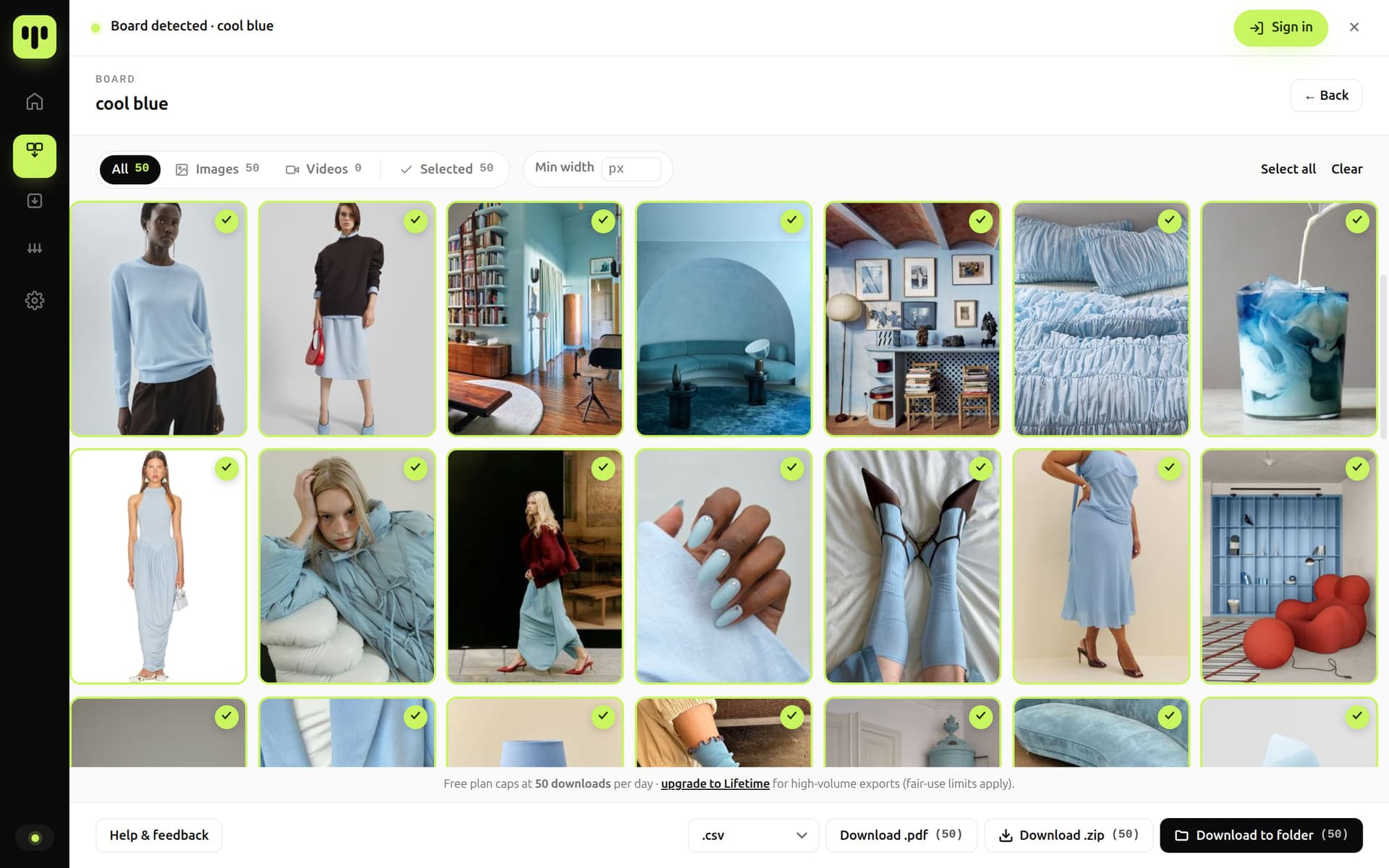
Step 5Capture
Pick how it comes out
One row along the bottom of the window: straight into a folder, one ZIP, a PDF contact sheet, or a metadata file on its own. The four are laid out side by side further down this page.
The action rowBulkoPin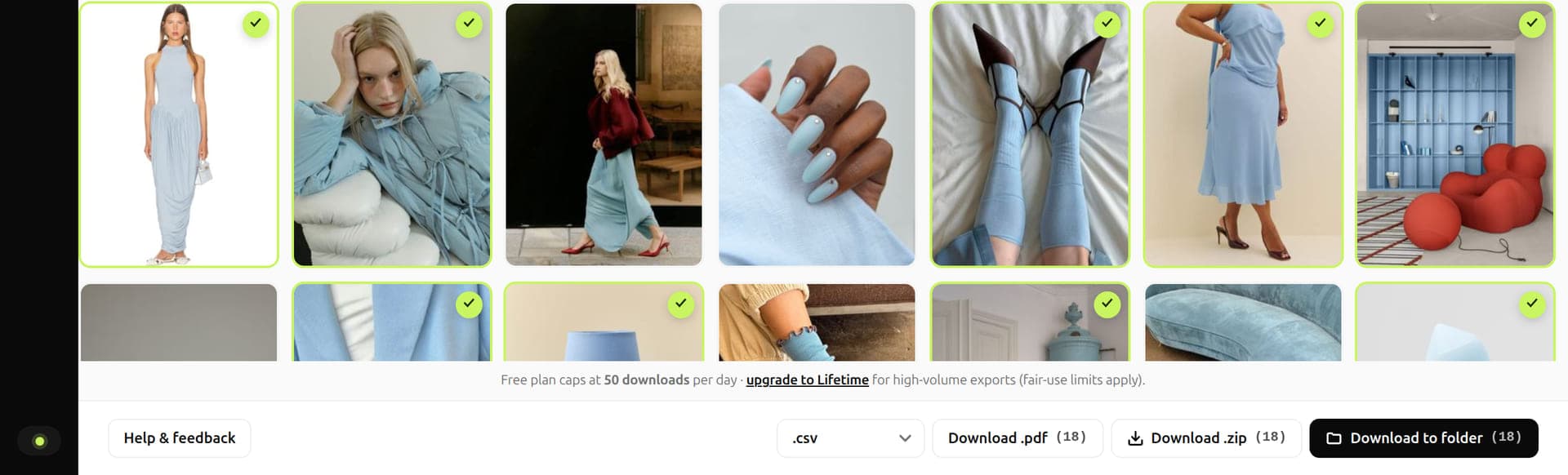
Step 6Capture
Start it and watch it go
BulkoPin connects, scans the page, then collects the images. A bar across the bottom counts the files as they land. Pause it, stop it, or walk away; whatever is already saved stays saved.
BulkoPin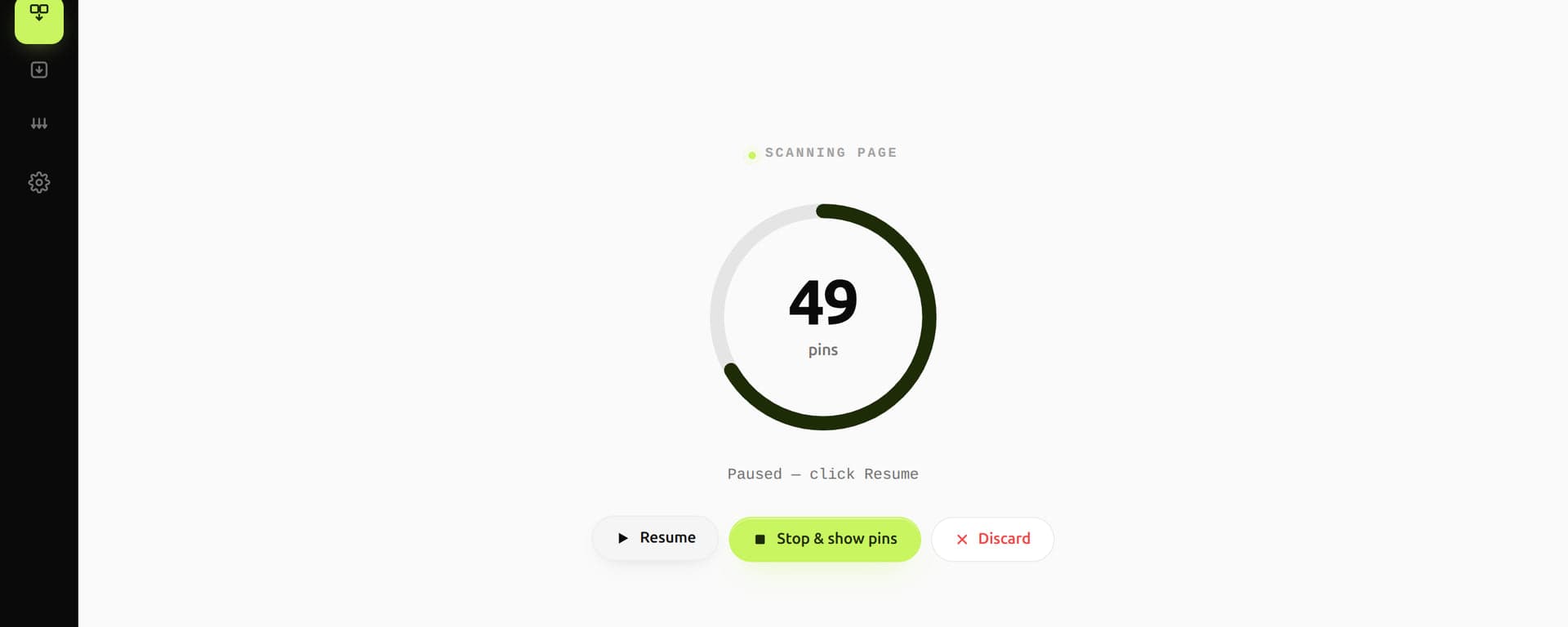 Paused at 49 pins
What the run does
- Connecting
- Scanning page
- Collecting images
Same run, different delivery.
The buttons all sit in the same row. What changes is what you end up holding afterwards.
Files, already sorted
On every planEvery image and video is written straight into your browser's download directory as its own file, under a folder named after the board, profile or search you ran. Nothing to unpack.
You end up with
Downloads/BulkoPin/…/Image/
One archive
On every planThe whole selection packed into a single ZIP, assembled inside your browser rather than on a server. A run too large for one file is split into numbered parts.
You end up with
bulkopin-1755612480000.zip
A contact sheet you can print
LifetimeEvery selected pin laid out on a page grid, for printing or for sending to someone who does not want a folder of images.
You end up with
bulkopin-1755612480000.pdf
The data without the pictures
On every planTitles, descriptions, pin links, creators, dimensions and file names, as .csv, .json or .md. This one never fetches a single image, so it finishes almost instantly.
You end up with
bulkopin-1755612480000.csv
Where the files land.
Folder mode writes into your browser's own download directory, under one root, split by source and by media type. Here is the shape of it.
The middle folder is named after the board, profile or search you ran. index.md is always written; manifest.csv appears when the CSV sidecar is switched on in settings.
Example
- Downloads/
- BulkoPin/
- Autumn palette/
- Image/
- warm-oak-hallway.jpg
- linen-and-clay.jpg
- Video/
- slow-pour-coffee.mp4
- manifest.csv
- index.md
- Image/
- Autumn palette/
- bulkopin-1755612480000.zipZIP mode drops a single archive next to that root instead.
- BulkoPin/
In the extension, images travel from Pinterest's own servers into your browser and are packaged on your device. The bytes never pass through a BulkoPin server.
Where BulkoPin stops.
The walkthrough is short because the privacy model is short. These four hold on every screen above.
What it asks Chrome for
- storage
- scripting
- downloads
- tabs
- alarms
- offscreen
- unlimitedStorage
- contextMenus
Optional, and only if you switch notifications on: notifications
The whole list, straight from what the extension declares. Neither cookies nor identity is on it.
We never see your Pinterest password
The extension works through the Pinterest tab you are already signed in to. It does not request the cookies or identity Chrome permissions.
It only works on content you can already see
If your Pinterest session can render it, BulkoPin can package it. If it cannot, BulkoPin cannot.
Runs start when you press something
You click, a run happens, then it stops. There is no always-on background automation and no scanning you did not ask for.
Parallel runs still respect Pinterest's limits
LifetimeRunning several boards, profiles or searches side by side does not mean hammering Pinterest. The engine paces every request and slows itself down when Pinterest pushes back.
Now run one yourself.
Add the extension, sign in once, and take a board end to end.